
Step 1.
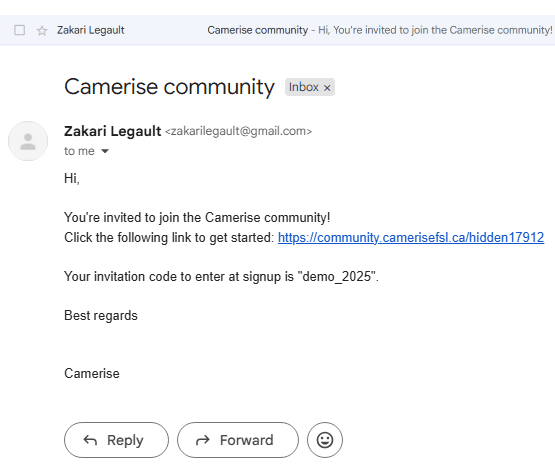
Click on the link in the email message that you have received. This will take you to the register page. (https://community.camerisefsl.ca/hidden1792)
Step 2.
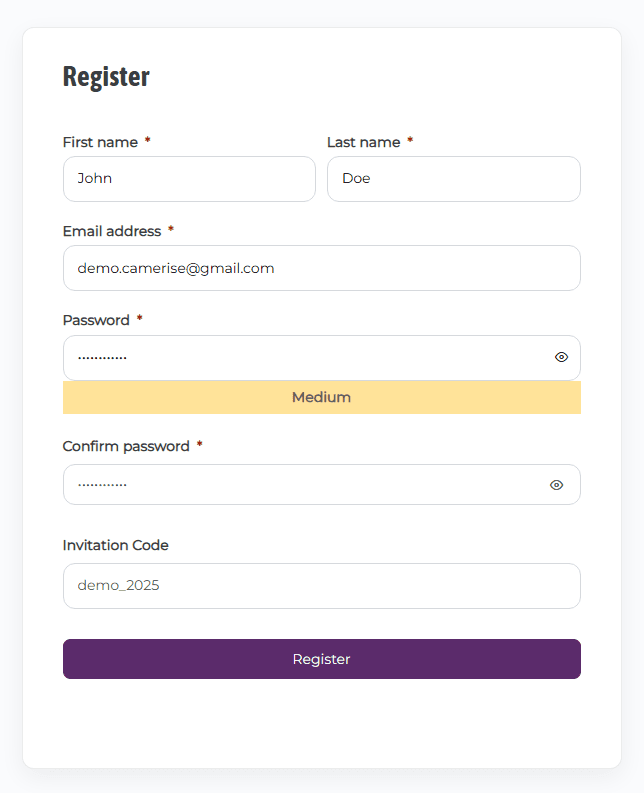
Create your account by entering your own information, also dont forget to add your invitation code: demo_2025
Step 3.
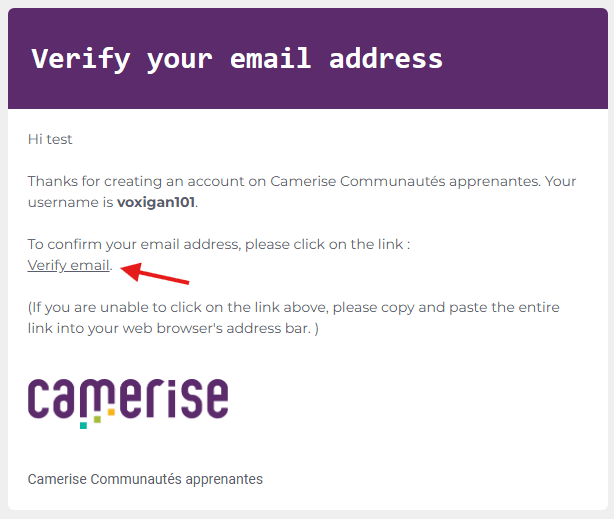
You will receive a message in your email inbox from Camerise asking you to validate your email address. Click the Validate email link within the message.
Step 4.
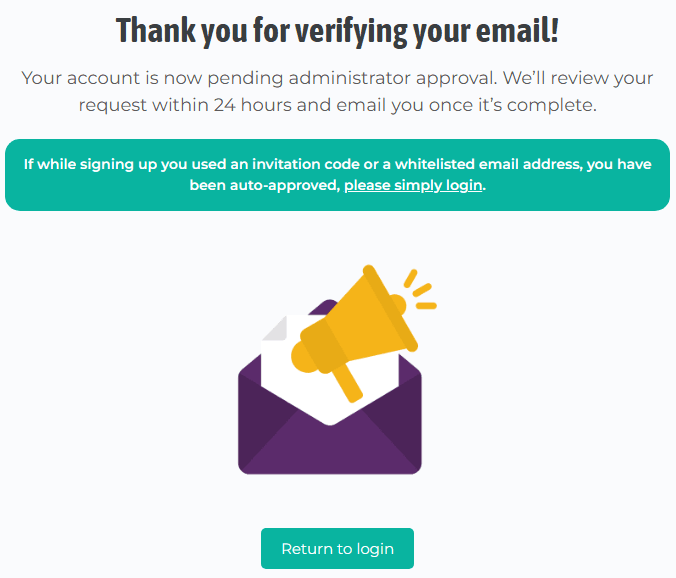
Since you have been auto-approved by the admin because of the invitation code, click on the please simply login link to go to the login page.
Step 5.
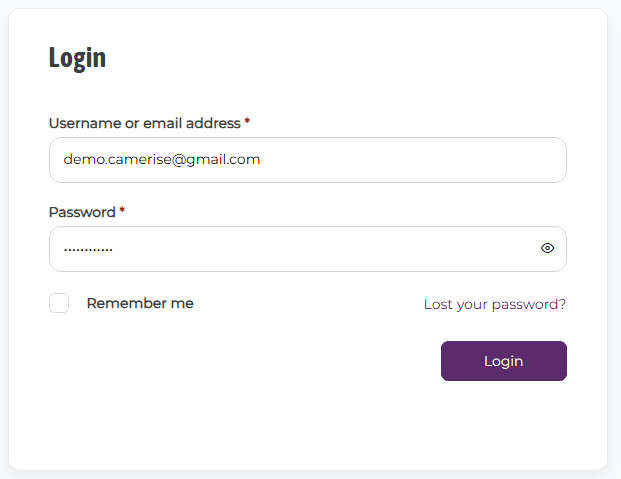
Enter your login info and click the login button.
Step 6.
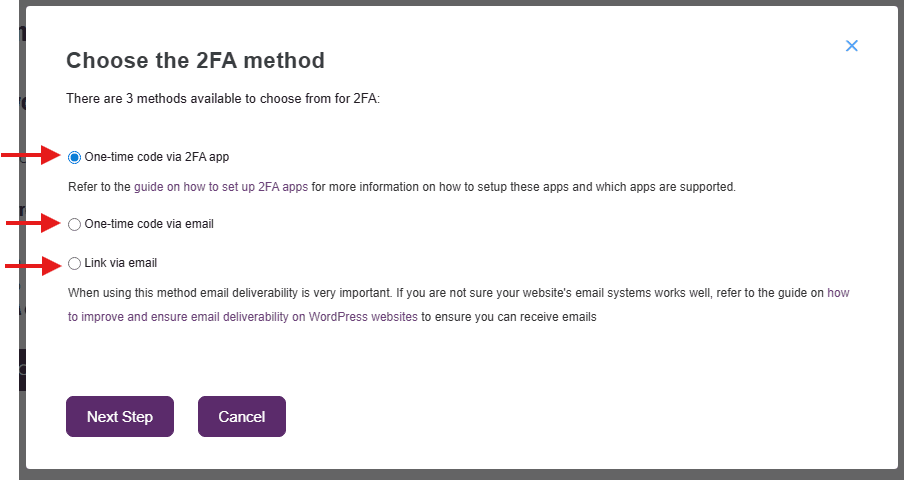
You will arrive on the 2FA setup window. You have the choice between three 2FA methods:
- One-time code via 2FA app
- One-time code via email
- Link via email
Make your choice and follow the on screen instructions within that same setup window.
You're all set!
From now on, every time you log in to your account, you will be asked to confirm it’s really you using your 2FA method.
If needed, visit the 2FA configuration page to customise your 2FA settings.